
Motion Review 2025: AI Calendar & Productivity Platform That Plans Your Day
Updated on: 26.10.2025
Star Rating & Editor’s Verdict
Overall Rating: ⭐ 4.5 / 5
Editor’s Verdict: Motion is one of the most powerful AI productivity tools in 2025, combining scheduling, tasks, and projects under one intelligent ecosystem. Its AI scheduling is second to none, though the price may deter casual users. Ideal for teams that value automation and time optimization.

| Feature | Details |
|---|---|
|
Tool Type |
AI Calendar & Productivity Suite |
|
Core Skills |
Automatically plan, schedule, and optimize tasks and meetings using AI. Manage projects, docs, and dashboards in one workspace. |
|
Platforms |
Web, iOS, Android, Desktop apps |
|
AI Capabilities |
AI Scheduling, Task Prioritization, Meeting Optimization, AI Employees (autonomous agents) |
|
Integrations |
Google Calendar, Outlook, Slack, Zoom, Notion, and more |
|
Pricing (2025) |
From $29/month per user (annual billing) |
|
Free Trial |
Yes (no credit card required) |
|
Ideal For |
Teams and professionals who want AI to manage calendars, projects, and workflows automatically |
|
Competitors |
Reclaim.ai, Clockwise, Calendly |
Quick Take & Best For
| Best For | Avoid If |
|---|---|
|
Professionals who juggle many meetings and tasks daily |
You prefer manual control over your schedule |
|
Teams that want AI to optimize calendars & tasks |
You only need a basic booking link (e.g., Calendly) |
|
Startups that value speed, focus time, and less decision fatigue |
You’re looking for a free forever solution |
Introduction
If your calendar feels like a battlefield, Motion promises to bring order. Branded as “the AI that plans your day,” Motion has grown beyond a simple scheduling app. In 2025, it now offers a full suite: AI Calendar, Projects, Tasks, Docs, and even “AI Employees” to automate repetitive workflows.
With Google and Outlook integrations, mobile and desktop apps, and a reputation for saving users up to 30% of lost focus time, Motion aims to be the productivity stack that replaces patchwork solutions like Trello, Asana, and Calendly.
⚡ Fun Fact: The first version of Motion launched with only a calendar feature — the rest came later as user demand exploded.
With Google and Outlook integrations, mobile and desktop apps, and a reputation for saving users up to 30% of lost focus time, Motion aims to be the productivity stack that replaces patchwork solutions like Trello, Asana, and Calendly.
What Is Motion AI?
Motion is an AI-powered productivity app that merges task management, project planning, and scheduling into one ecosystem. Unlike traditional tools that require manual setup, Motion dynamically reschedules tasks and meetings in real-time based on your deadlines, focus windows, and team priorities.
It markets itself as more than a tool: it’s like having a virtual chief of staff. Whether you’re a solo founder or a team scaling projects, Motion ensures the right things get done at the right time without you micromanaging.
How Motion AI Works
Motion works by syncing with your calendar(s) and automatically reorganizing your day.
AI Scheduling: Drag-and-drop tasks become fully scheduled with deadlines.
Real-Time Adjustments: If a meeting runs long, Motion pushes other tasks intelligently.
Projects + Tasks: Assign to yourself or teammates; Motion distributes workloads.
Docs + Sheets: Store notes, goals, and documentation within the same workspace.
AI Employees: A new 2025 feature — autonomous agents that handle specific workflows.
In essence, Motion removes the mental load of when to do something. You focus on the what.
💡 Fun Fact: Motion’s internal algorithm is nicknamed “Chronos,” after the Greek god of time, by its developers.
It markets itself as more than a tool: it’s like having a virtual chief of staff. Whether you’re a solo founder or a team scaling projects, Motion ensures the right things get done at the right time without you micromanaging.
Key Features
- AI Calendar – Automatically protects focus time, avoids conflicts, and reschedules tasks.
- Projects & Tasks – Manage team projects with Kanban or list views.
- Docs & Sheets – Integrated for collaborative planning.
- Dashboards – Visualize goals, progress, and productivity analytics.
- Booking Links – Similar to Calendly but with direct AI integration.
- Mobile & Desktop Apps – Full-featured apps across devices.
- AI Employees (2025) – Delegated workflows handled by Motion’s AI agents.
Performance & Quality
Motion is praised for speed and accuracy in scheduling, often outperforming manual task planning. It integrates smoothly with Google Calendar and Outlook, and the UI is clean with modern dark/light themes.
While users love the automation, some report that Motion can be too rigid if they want granular manual control. However, most productivity seekers find the AI assistance outweighs the learning curve.
🤖 Fun Fact: Motion’s “AI Employees” were inspired by a productivity experiment that tracked how humans delegate routine decisions.
Use Cases & Playbooks
- Startup Founders: Auto-plan investor meetings, deadlines, and pitches.
- Marketing Teams: Sync campaign deadlines with content calendars.
- Remote Teams: Keep distributed members aligned on time zones.
- Busy Professionals: Let Motion reshuffle tasks when meetings pile up.
- Students/Freelancers: Use booking links + project boards for clients.
Pricing & Availability (2025)
- AI Workplace Plan: $29/month (annual billing), 1 seat, 1,000 credits/month.
- Custom Plans: For larger teams, Motion offers enterprise-level solutions (pricing upon request).
- Free Trial: Yes.
👉 Compared to Reclaim.ai ($10–15/user) or Clockwise ($6.75–11.50/user), Motion is pricier, but it includes projects, docs, and AI employees.
🌐 Fun Fact: Motion’s dashboards are designed to mimic mission-control layouts from NASA interfaces.
Plan Picker (Quick)
| Situation | Recommendation | Why |
|---|---|---|
|
Solo pro juggling meetings + deadlines |
AI Workplace (annual) |
Full AI scheduling + tasks/projects in one tool; best value for single seat |
|
2–10 person startup/team |
AI Workplace (per seat) |
Share projects, auto‑balance workload, booking links, dashboards |
|
10–50+ people with strict IT needs |
Team/Enterprise |
SSO, admin controls, higher credit limits, rollout support |
|
Budget‑sensitive, testing AI scheduling |
Free Trial → AI Workplace |
Trial gets you comfortable; upgrade for daily auto‑planning |
|
Already paying for multiple tools (Asana + Calendly + Docs) |
AI Workplace |
Likely cheaper overall and simpler to maintain |
🧭 Tip: Choose annual billing if you’re all‑in — the savings compound vs. month‑to‑month.
Roadmap (2025)
- For 2025, Motion’s roadmap focuses on:
- Expanding AI Employees for more autonomous workflows.
- Deeper integrations with CRMs and task systems.
- Enhanced dashboards for team productivity analytics.
- Continued performance optimization for large teams.
⭐ Ratings Table
| Category | Rating (1–5) |
|---|---|
|
Ease of Use |
⭐⭐⭐⭐ |
|
Features |
⭐⭐⭐⭐⭐ |
|
Integrations |
⭐⭐⭐⭐ |
|
AI Intelligence |
⭐⭐⭐⭐½ |
|
Value for Money |
⭐⭐⭐⭐ |
Motion vs Other Productivity Tools
Chart — Monthly Price Comparison
| Tool | Monthly Price | Notes |
|---|---|---|
|
Motion |
$29/month |
Full AI productivity suite with calendar, projects, and docs; replaces multiple tools |
|
Reclaim.ai |
$10–15/month |
Strong AI calendar automation; fewer collaboration tools |
|
Calendly |
$10–16/month |
Excellent booking links but no AI task or project management |
|
Clockwise |
$6.75–11.50/month |
Team-wide meeting optimization; lacks advanced project tools |
|
ClickUp AI |
From $10/month |
Broader project suite; less focused on calendar scheduling |
|
Notion AI |
From $10/month |
Great for content and notes; weaker automation capabilities |
🧠 Fun Fact: In user tests, Motion users reported feeling “less anxious about Mondays” after two weeks of use.
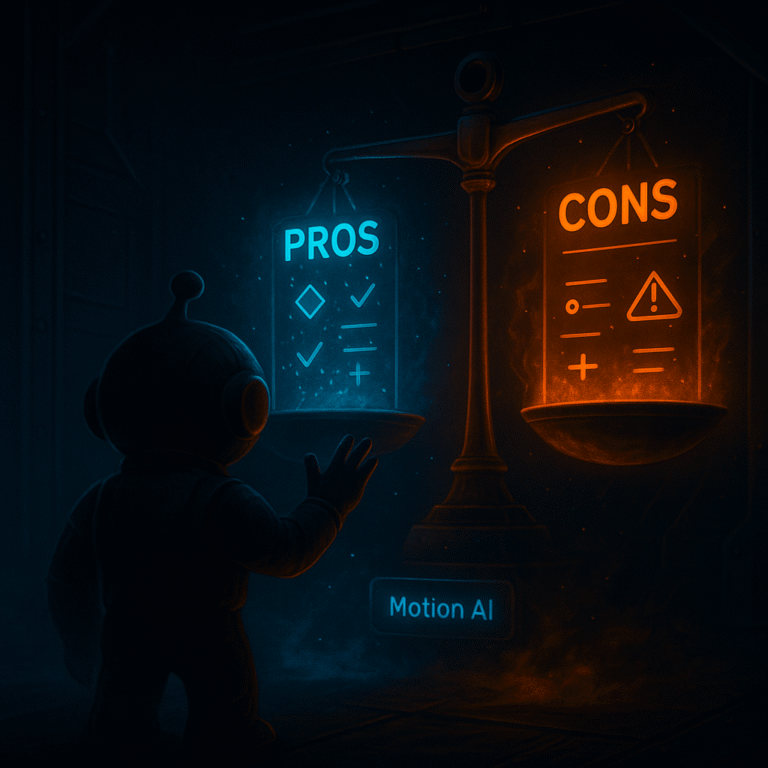
✅ Pros:
- Combines calendar, projects, and tasks in one tool.
- Excellent AI scheduling and rescheduling.
- Booking links + mobile apps included.
- Active affiliate program for monetization.
- New AI Employees feature in 2025.
❌ Cons:
- Higher price than alternatives.
- Can feel too rigid for users who want manual control.
- Requires a learning curve to trust AI fully.
Conclusion & Next Steps
Motion is best described as a personal AI chief of staff. For individuals or teams that value automation over micromanagement, it’s a powerhouse. The higher cost is justified by its all-in-one nature — replacing multiple subscriptions.
If your calendar feels like a warzone, Motion can bring peace.
💡 More Fun Facts
✨ 1. 🧭 Motion users report saving 30% of working time on average.
✨ 2. ⚙️ The name “Motion” was chosen to symbolize progress in motion, not just static planning.
✨ 3. 🚀 Early adopters were YC-backed startups who needed fast scaling tools.
✨ 4. 🤖 Motion AI Employees are inspired by the idea of hiring “digital interns.”
✨ 5. 🏆 In 2024, Motion ranked in Product Hunt’s top AI productivity tools.
FAQs
Motion is an AI-powered productivity suite that manages calendars, tasks, and projects.
No, but it offers a free trial. Paid plans start at $29/month.
Yes, it integrates with Google and Outlook calendars.
Yes, Motion has iOS and Android apps.
Calendly only handles bookings, while Motion manages your full day.
It automatically schedules tasks into your available time, rescheduling dynamically.
Yes, it offers team task/project management with shared dashboards.
AI agents that automate repetitive workflows within the platform.
Busy professionals, teams, startups, and anyone who wants to offload scheduling to AI.
Partially — while it handles scheduling and task planning, you may still need specialized PM software for larger workflows.
Yes, Motion blocks time for deep work by dynamically moving meetings around your schedule.